
How to Choose the Right AI Tools for Everyday Work: A Practical Guide (2026)

Artificial intelligence has become a part of everyday digital life. Whether you want to write something, research a topic, create an image, prepare a presentation, or organise your work, there seems to be an AI tool for almost everything. A quick search for AI tools can leave you with dozens of options. Some promise to save hours of work, others claim to produce better results, and many offer features that sound quite similar. But does that mean you need all of them?
Not really. The challenge today is not finding an AI tool. It is understanding which one actually fits your needs. A tool that works well for a content creator may not be particularly useful for a student or a small business owner.So, instead of collecting AI tools just because they are popular, let’s understand the different types, look at some familiar examples, and learn how to choose the right one for everyday work.
1. Why Are There So Many AI Tools?
AI technology has developed rapidly, and businesses are finding new ways to use it in everyday applications. Some tools are designed to understand questions and generate responses. Others focus on searching the internet, creating images, editing documents, or automating repetitive tasks.
Many platforms also offer several AI features under one roof. This is why two tools may appear similar but still serve different purposes. For example, you can ask a general AI assistant to explain a topic, while an AI-powered search tool may be more convenient when you want to explore current information and examine its sources.The important thing is to understand what you want to accomplish before choosing a tool.
2. Understanding the Different Types of AI Tools
Before comparing individual platforms, it helps to understand their main categories.

2.1 AI Chatbots and General-Purpose Assistants
These tools allow you to interact with AI through everyday language. You can ask questions, request explanations, brainstorm ideas, summarise information, and work on written content. Some familiar examples include:
ChatGPT: A general-purpose AI assistant that can help with writing, brainstorming, explanations, file analysis, research, and several other tasks.
Google Gemini: Google’s AI assistant, which can help with questions, writing, research, and tasks connected to Google’s ecosystem.
Claude: An AI assistant from Anthropic that supports conversational writing, research, document analysis, and coding.
These tools are useful when you need help with different kinds of tasks rather than one specific function.However, their responses can vary depending on the question, instructions, available features, and the type of task.
2.2 AI Search and Research Tools
Traditional search engines usually provide a list of websites related to your query. AI-powered search tools take a different approach by presenting summarised answers alongside sources.
Perplexity is a well-known example.It searches the web and provides answers with clickable citations, allowing readers to explore the original sources.
This can be useful when:
Researching an unfamiliar topic.
Finding information from multiple sources.
Exploring recent developments.
Looking for references to verify a claim.
However, citations do not automatically guarantee that an answer is correct. Always open important sources and check whether they actually support the information provided.
2.3 AI Design and Image Creation Tools
Not everyone has professional design skills, and creating graphics manually can take time. AI-assisted design platforms can help users generate visual ideas, create layouts, edit images, and prepare graphics.
Canva is a familiar example. Its Magic Studio includes AI-powered features for tasks such as generating designs, writing content, creating images, and editing visuals.These features can be helpful for:
Social media graphics.
Blog illustrations.
Presentations.
Marketing materials.
Basic image editing.
However, AI-generated designs may still require adjustments. Text placement, visual consistency, image quality, and branding should be checked before publishing.
2.4 AI Tools for Office and Productivity
Some AI features are designed to work alongside the software people already use. Microsoft Copilot is an example. Depending on the version and subscription, it can assist with drafting content, summarising information, working with documents, and tasks in Microsoft 365 applications.These tools can be particularly useful when your everyday work already involves Word, Excel, PowerPoint, or Outlook.The main advantage is convenience. Instead of moving between several platforms, you may be able to use AI assistance within your existing workflow.
3. Popular AI Tools: What Can You Use Them For?
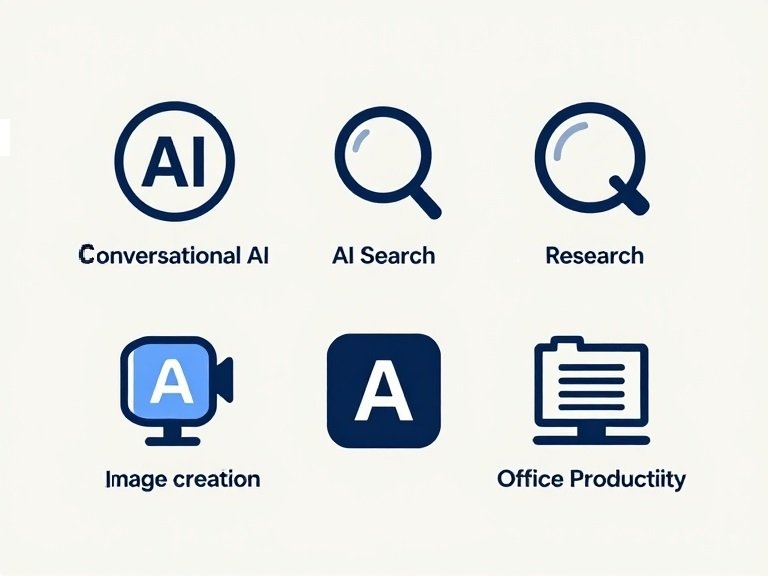
Now that we understand the different categories, let’s look at six familiar AI platforms.The purpose of this section is not to rank them or declare a winner. It is to understand what each platform offers and when you might consider exploring it.
| AI tool | General area of use |
|---|---|
| ChatGPT | General assistance, writing and analysis |
| Google Gemini | General assistance and Google ecosystem |
| Claude | Writing, research and document analysis |
| Microsoft Copilot | Productivity and Microsoft applications |
| Perplexity | Web search and research |
| Canva AI | Design and visual content |
ChatGPT
ChatGPT is a general-purpose AI assistant that can help with a wide range of everyday tasks. You can use it to:
Brainstorm ideas.
Understand unfamiliar concepts.
Draft and edit written content.
Summarise documents.
Explore research topics.
Analyse supported files and data.
It may be useful when you want one platform to assist with different types of work.
Official website: https://chatgpt.com/
Google Gemini
Gemini is Google’s AI assistant. It can help with questions, explanations, writing, research, and other tasks. It may be worth exploring if you already use Google services and want to understand how its AI features fit into that ecosystem.
Official website: https://gemini.google.com/
Claude
Claude is an AI assistant developed by Anthropic.It supports tasks such as:
Drafting and editing content.
Summarising longer documents.
Analysing information.
Answering questions.
Assisting with coding.
If you regularly work with lengthy documents or written material, it may be one of the platforms worth comparing.
Official website: https://claude.ai/
Microsoft Copilot
Microsoft Copilot provides AI assistance for everyday questions, writing, brainstorming, and other productivity tasks. Its integration with Microsoft applications can be particularly relevant for people who already use Microsoft 365. However, available features depend on the Copilot version and subscription.
Official website: https://copilot.microsoft.com/
Perplexity
Perplexity is an AI-powered search and answer platform. Rather than simply providing a conversational response, it presents information with source citations that readers can open and examine. It may be useful for initial research, discovering relevant sources, and exploring current topics. Remember that you should still verify important information independently.
Official website: https://www.perplexity.ai/
Canva AI
Canva offers AI-assisted design and content creation features through its platform. Depending on feature availability and your plan, you can explore options for:
Generating design ideas.
Creating visual content.
Editing images.
Preparing presentations.
Drafting design-related text.
It can be worth considering if you regularly create visual material but do not want to work with complex design software.
Official website: https://www.canva.com/
One important point: These platforms have overlapping features. For example, more than one can assist with writing or research. The best way to compare them is to try the same task on different platforms and evaluate the results.
4. How to Choose the Right AI Tool for Your Needs
This is probably the most important part of the entire process. Before creating an account or purchasing a subscription, take a moment to understand what you actually need.
4.1 Identify the Problem You Want to Solve
Start with a simple question: What task do I want AI to help me with?
For example:
If you want help organising ideas, a general AI assistant may be sufficient.
If you need to research current information, an AI search platform may be worth exploring.
If you regularly create graphics, an AI-assisted design platform may be more relevant.
If you work with office documents, productivity tools integrated into your existing software may be convenient.
You do not need to search for the most advanced tool. You need one that addresses your actual problem.
4.2 Understand What the Tool Can Actually Do
AI platforms often advertise several features, but not every feature will be useful to you. Before choosing one, look at its main capabilities.
Check:
What tasks does it support?
Can it handle the type of files you work with?
Does it support your preferred language?
Does it require additional software?
Are important features available in your region?
Do not choose a platform based only on its marketing claims. Look at the actual features available to your account.
4.3 Consider How Easy It Is to Use
A tool may offer impressive features but still be inconvenient for everyday work. For example, if you only need occasional writing assistance, a complicated platform with multiple settings may not offer much practical value.
Consider whether:
The interface is easy to understand.
You can find the features you need.
The instructions are simple.
It works well on your device.
You can use it without spending too much time learning it.
Convenience matters, especially when you plan to use a tool regularly.
4.4 Check Accuracy and Reliability
AI tools can produce incorrect information, misunderstand instructions, or provide answers that sound convincing but are not supported by facts. This is particularly important when using AI for research, business decisions, educational content, or professional work.
Before relying on a tool:
Compare its answers with trustworthy sources.
Check important facts independently.
Look for supporting references.
Test how it handles follow-up questions.
See whether it acknowledges uncertainty.
Never assume that a well-written AI response is automatically accurate.
4.5 Understand Privacy and Data Security
This is something many users overlook when exploring new AI platforms. When you upload a document, share information, or enter a prompt, you should understand how the platform handles that data.
Before using a tool, check:
Its privacy policy.
Whether conversations may be used to improve its AI models.
Available data controls.
How long information may be retained.
Whether you can delete your data.
Avoid uploading passwords, financial records, confidential business documents, or sensitive personal information to consumer AI tools unless you have checked the relevant privacy and security arrangements.
4.6 Consider the Cost
Many AI platforms offer free access alongside paid subscriptions. However, free plans may have usage limits or restrict certain features. Before paying, ask yourself:
Do I actually need the premium features?
How frequently will I use the platform?
Is the free version sufficient?
Does the subscription save enough time to justify its cost?
Are there additional charges or usage limits?
A paid subscription is not automatically better for every user. If you are just starting, explore the available free options first.
5. Free vs Paid AI Tools: Which Should You Choose?
This depends entirely on how you plan to use the platform.
When a Free AI Tool May Be Enough
A free version may be sufficient if you:
Use AI occasionally.
Ask general questions.
Experiment with different tools.
Need basic writing assistance.
Do not require advanced features.
For someone exploring AI for the first time, starting with free access is often a sensible approach.
When a Paid Subscription May Make Sense
A paid plan may be worth considering if you:
Use the tool regularly for work.
Need higher usage limits.
Require specific advanced features.
Work with larger files or complex tasks.
Need additional integrations.
Before upgrading, compare the current subscription details and limitations. Also remember that free and paid features can change over time. Always check the official pricing page rather than relying on an old comparison article.
6. How to Compare AI Tools Before Choosing One

One of the easiest ways to evaluate different platforms is to give them the same task. For example, suppose you want an AI tool to help you prepare a short article outline. Try the same instructions on two or three platforms. Then compare the results.
| What to compare | Questions to ask |
|---|---|
| Output quality | Is the response useful and relevant? |
| Accuracy | Are the facts correct? |
| Ease of use | Was it easy to get the result? |
| Instructions | Did it follow your requirements? |
| Limitations | What could it not do? |
| Cost | Can you complete the task without paying? |
You can even create your own simple evaluation sheet.Give each factor a score from 1 to 5, based on your experience. This will help you make a more informed decision instead of choosing a platform simply because it is popular.
7. Common Mistakes to Avoid When Choosing AI Tools
There are a few mistakes that can make the process unnecessarily complicated.
Choosing a tool because everyone is talking about it : A popular platform may not solve your particular problem. Understand its purpose before signing up.
Subscribing to too many tools : Having multiple subscriptions does not necessarily make you more productive. You may end up paying for features that overlap.
Trusting every AI-generated answer : AI can make mistakes. Always verify information that matters.
Ignoring privacy policies : Do not share sensitive information without understanding how the platform handles it.
Paying before testing : Explore the free version, if available, and decide whether the tool genuinely adds value to your work.
Expecting AI to do everything : AI can assist with tasks, but human judgement, creativity, and verification are still important.
8. Do You Really Need an AI Tool for Everything?
Not necessarily. Sometimes a simple spreadsheet, a traditional search engine, a word processor, or a manual approach is faster and more reliable. For example, you do not need an AI assistant to perform a simple calculation that a calculator can handle immediately. Similarly, if you already have a process that works well, replacing it with an AI tool may introduce unnecessary complexity. The purpose of using technology should be to make your work easier, not to create additional work. Think of AI as an assistant rather than a replacement for your own judgement.
9. Final Thoughts
There are more AI tools available today than most people will ever need. New platforms and features continue to appear, making it tempting to try every new release. But you do not have to follow every trend. Start by identifying the task you want to complete. Explore a few relevant tools, compare their results, check their limitations, and understand their pricing and privacy policies.
Most importantly, choose a tool because it genuinely helps you. You may find that one platform is enough for most of your everyday tasks. Or you may discover that using two specialised tools works better for your needs. There is no universal answer. The right AI tool is simply the one that makes your work easier without adding unnecessary cost or complexity.
Frequently Asked Questions
1. Which AI tool is best for everyday use?
There is no single AI tool that is best for everyone. General-purpose assistants such as ChatGPT, Google Gemini, and Claude can help with a variety of tasks. The right choice depends on what you need and which platform works best for you.
2. Are free AI tools good enough?
Free AI tools can be sufficient for many everyday tasks, including basic writing assistance, brainstorming, and general questions. However, usage limits and feature availability vary between platforms.
3. Can one AI tool handle multiple tasks?
Yes. Several general-purpose AI assistants support different tasks, such as writing, summarising, answering questions, and brainstorming. However, specialised tools may offer more relevant features for particular activities.
4. How can I check whether an AI tool is reliable?
Test it with questions you already know the answers to. Verify important claims using trustworthy sources, examine citations, and compare its results with other reliable information.
5. Is it safe to share personal information with AI tools?
You should be cautious. Review the platform’s privacy policy and data controls before sharing information. Avoid entering passwords, financial details, or confidential information into consumer AI services.
6. Should I pay for an AI subscription?
Not necessarily. Start with the free version if one is available. Consider paying only when you regularly need features or usage limits that the free plan does not provide.
7. Can I use multiple AI tools together?
Yes. You can use different platforms for different tasks. For example, you might use an AI assistant to organise ideas, a search tool to find sources, and a design platform to create graphics. Just make sure each tool serves a useful purpose.
Further Reading and Official Resources